
Restaurant picker
Pick a nearby restaurant without turning dinner into research.
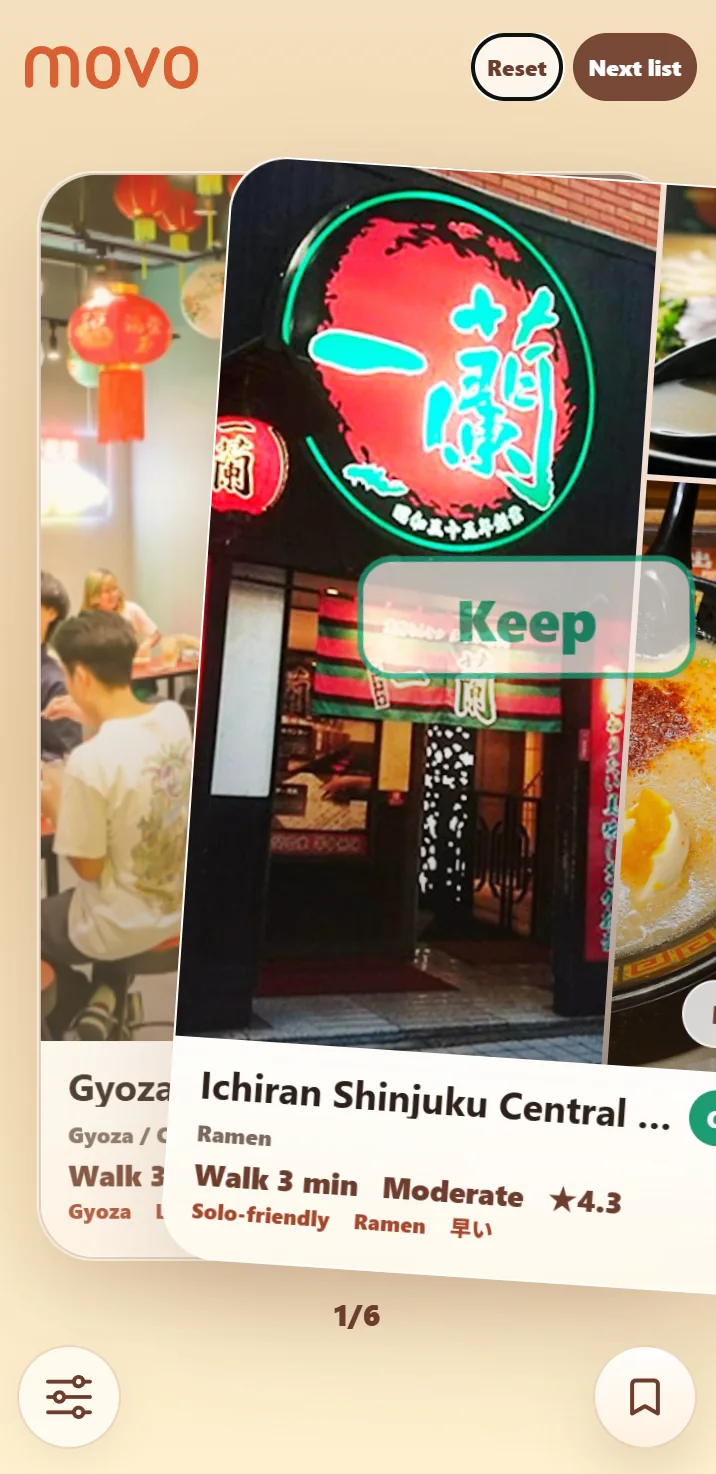
Movo works like a random restaurant picker, but with useful nearby context. You see one restaurant or cafe card at a time, then swipe to skip, keep, save, or open the map.
Better than a pure random choice
A purely random picker can be fun, but it may suggest a place that is too far away, closed, or not right for the moment. Movo keeps the playful feeling of a picker while still showing practical details such as distance, category, rating, price signal, and map access.
That makes it useful for lunch breaks, casual dinners, coffee stops, and travel days when you want a small set of options instead of a full search session.
How the picker flow works
Open Movo, allow location access, and review the first card. Swipe left when a place does not fit. Swipe right when it is a possible choice. Save a place when you want to remember it, or open the map when you are ready to go.
The point is to reduce comparison. You do not need to rank every nearby restaurant. You only need to react to one place at a time until something feels good enough.
Useful when choosing with someone else
Restaurant decisions often get slower when two people keep sending links back and forth. A card picker gives both people a simpler rhythm: skip, keep, compare the short list, and go.
FAQ
Is Movo purely random?
No. It keeps the picker feeling, but uses nearby restaurant context so the choices are practical.
Does Movo work in a browser?
Yes. You can open it directly without installing a separate app.
More ways to use Movo
What to eat in Japan / Nearby cafe finder / Food decision app